On this page
Introduction
Developer-focused documentation for integrating OneKey hardware in Web and Native apps.
Hardware SDK 1.2.x supports Protocol V1 and Protocol V2 through the same JavaScript API. New here? Start with Getting Started.
This page is the orientation layer — pick the right SDK package for your platform and install it. For the end-to-end walkthrough (search → events → PIN/passphrase → first signing call) plus parameters, events, and error handling, see the Core API Guide.
Choose Your Transport
USB integrations should use @onekeyfe/hd-common-connect-sdk; use @onekeyfe/hd-web-sdk only when the host mandates an iframe/plugin setup.
Connection Methods
| Method | Description | Supported devices |
|---|---|---|
| USB / WebUSB | Wired USB; browser via WebUSB; Node.js / CLI via node-usb | Devices with a compatible USB interface and firmware |
| Bluetooth BLE (native) | Native apps over BLE (not Web Bluetooth); requires OS Bluetooth & permission | Pro, Pro 2, Neo, Touch, Classic 1s / Classic 1s Pure; Mini does not support BLE |
| Air-Gap (QR) | Offline QR signing | OneKey Pro and Pro 2; Neo has no camera |
Platform Guide
| Platform (Stack) | Transport | SDK Package | Guide |
|---|---|---|---|
| Web (Browser) | WebUSB | @onekeyfe/hd-common-connect-sdk | WebUSB Connection Guide |
| React Native | BLE | @onekeyfe/hd-ble-sdk | React Native BLE |
| Android (Native) | BLE | @onekeyfe/hd-common-connect-sdk | Android BLE |
| iOS (Native) | BLE | @onekeyfe/hd-common-connect-sdk | iOS BLE |
| Flutter | BLE | @onekeyfe/hd-common-connect-sdk | Flutter BLE |
Low-level protocol and custom channels: Low-Level Transport Plugin & Protocol
Install SDK
Pick one entry by runtime:
# Web / desktop WebUSB (recommended)
npm i @onekeyfe/hd-common-connect-sdk

# React Native BLE
npm i @onekeyfe/hd-ble-sdk

# Native host with low-level plugin (Android/iOS/Flutter bridge)
npm i @onekeyfe/hd-common-connect-sdk

# Plugin iframe host only (plugin-only)
npm i @onekeyfe/hd-web-sdk
Transport details:
- WebUSB: WebUSB guide
- React Native BLE: BLE guide
- Native Android / iOS / Flutter: bridge JS calls through low-level transport plugins (see pages for examples).
- Custom channel & protocol: Low-Level Transport Plugin & Protocol
Initialize the SDK
Use the initialization method that matches your runtime—avoid mixing SDK entries.
Web / Desktop WebUSB
Use @onekeyfe/hd-common-connect-sdk:
import HardwareSDK from '@onekeyfe/hd-common-connect-sdk';

const initialized = await HardwareSDK.init({
  env: 'webusb',
  debug: false,
  fetchConfig: true,
});
if (!initialized) throw new Error('SDK initialization failed');
React Native BLE
Use @onekeyfe/hd-ble-sdk:
import HardwareSDK from '@onekeyfe/hd-ble-sdk';

const initialized = await HardwareSDK.init({
  debug: false,
});
if (!initialized) throw new Error('SDK initialization failed');
Native Bridge / Low-level
Use @onekeyfe/hd-common-connect-sdk:
import HardwareSDK from '@onekeyfe/hd-common-connect-sdk';
import type { LowlevelTransportSharedPlugin } from '@onekeyfe/hd-transport';

// Provide an implemented native BLE bridge; this is a preparation fragment.
declare const plugin: LowlevelTransportSharedPlugin;
const initialized = await HardwareSDK.init({
  env: 'lowlevel',
  debug: false,
  fetchConfig: true,
}, undefined, plugin);
if (!initialized) throw new Error('SDK initialization failed');| Environment | Use Case |
|---|---|
webusb | Browser WebUSB (no iframe) |
lowlevel | Native apps bridging JS via low-level adapter |
react-native | Custom RN bridge or Electron BLE |
emulator | Built-in emulator transport |
Plugin Iframe Host
Use @onekeyfe/hd-web-sdk (plugin-only). The SDK default iframe host is https://jssdk.onekey.so/<installed-package-version>/ from getSDKVersion(). Omit connectSrc unless you host the iframe yourself.
This docs build tracks Hardware SDK 1.2.8-alpha.12. The default iframe host is https://jssdk.onekey.so/1.2.8-alpha.12/. Omit connectSrc so the SDK uses the installed package version. Override it only for a self-hosted iframe, and match the installed @onekeyfe/hd-web-sdk version.
import HdWebSdk from '@onekeyfe/hd-web-sdk';

const HardwareSDK = HdWebSdk.HardwareWebSdk;

const initialized = await HardwareSDK.init({
  debug: false,
  // omit connectSrc — SDK fills https://jssdk.onekey.so/<installed-version>/
});
if (!initialized) throw new Error('SDK initialization failed');
Next steps
After HardwareSDK.init(...) returns, follow Getting Started for the first address, then the Core API Guide for the rest of the flow:
-
1.2.0 device matrix: Devices
-
Which chains on Pro 2 / Neo: Chain Support
-
Protocol V1 vs V2 (auto-detected): Protocol
-
Open / resume a wallet: Wallet Sessions
-
Firmware V2 / V3 / V4: Firmware Update
-
Standard lifecycle (
init → search → getDeviceState → subscribe → call + uiResponse → cleanup): Core API Guide → Standard lifecycle -
Shared parameters for address, signing and device methods: Common params
-
Identifier reference (
connectId/deviceId/passphraseState/ …): Identifiers -
PIN entry flow: PIN Code
-
Passphrase / hidden-wallet flow: Passphrase
Device and Transport Compatibility
Support status for Bluetooth, USB, Air-Gap, and protocol family
| Device | Protocol | Bluetooth | USB | Air-Gap |
|---|---|---|---|---|
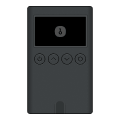 OneKey Classic 1s OneKey Classic 1s | V1 | Supported | Supported | Not supported |
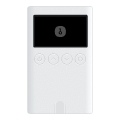 OneKey Classic 1s Pure Battery-free edition | V1 | Supported | Supported | Not supported |
 OneKey Mini Compact USB-only wallet | V1 | Not supported | Supported | Not supported |
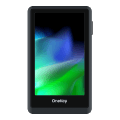 OneKey Touch Full touchscreen experience | V1 | Supported | Supported | Not supported |
 OneKey Pro Premium with fingerprint security | V1 | Supported | Supported | Supported |
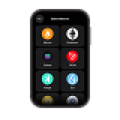 OneKey Pro 2 Protocol V2 professional edition | V2 | Supported | Supported | Supported |
 OneKey Neo Protocol V2 compact edition, no camera | V2 | Supported | Supported | Not supported |
Air-Gap Mode: OneKey Pro and Pro 2 support air-gapped signing via QR codes — no USB or Bluetooth connection required, with details reviewed on the device before signing. See Air-Gap Integration for details.
Core Packages
| Package | Purpose | NPM | Version |
|---|---|---|---|
@onekeyfe/hd-common-connect-sdk | Unified SDK surface for Web/Native; recommended entry for transports | npm |  |
@onekeyfe/hd-ble-sdk | Pure React Native BLE stack (recommended for RN projects) | npm |  |
@onekeyfe/hd-transport-react-native | React Native transport side-effects/bridge | npm |  |
@onekeyfe/hd-transport-web-device | Web transport for device access in web contexts | npm |  |
@onekeyfe/hd-transport-emulator | Emulator transport (develop and test without a physical device) | npm |  |
@onekeyfe/hd-transport-http | HTTP bridge transport | npm |  |
@onekeyfe/hd-transport-lowlevel | Low-level host adapter contract (for native integrations) | npm |  |
@onekeyfe/hd-core | Core events, constants, message wiring | npm |  |
@onekeyfe/hd-shared | Shared utilities and types | npm |  |
@onekeyfe/hd-web-sdk | Web SDK wrapper (not recommended; prefer hd-common-connect-sdk) | npm |  |
- Changelog: releases
Further reading
- Low-level transport & message protocol (for debugging or custom adapters): Low-Level Transport Plugin
- Migration from the legacy
hd-web-sdkflow: Migration Guide
Support
For users: This documentation is primarily for developers. If you encounter issues while using our products, please consult our Help Center or submit a support ticket.